Fix stick drift online. Then see if it actually worked.
DriftNo tests your controller, scores it out of 100, runs a guided Quick Fix, and then shows you Before and After so you can see whether it actually worked. Free, no install, no account. Use a desktop or laptop in Chrome, Edge or Opera.
Plug the controller in with USB if you want calibration written to the pad itself.
Before / After
- Resting drift4.8% → 0.9%
- Centre offset0.07 → 0.01
- Circularity11% → 6%
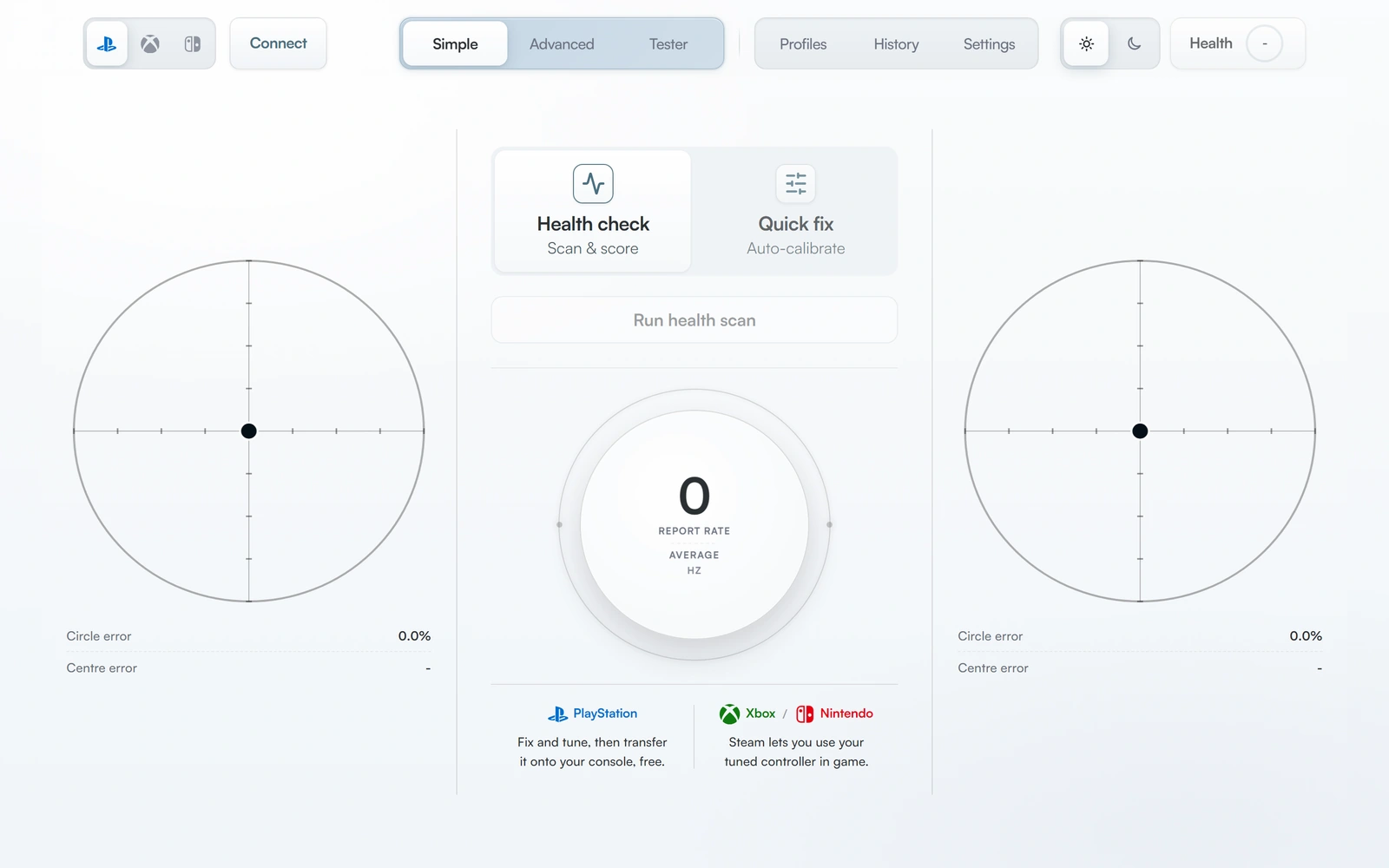
How the fix works
Four stages, roughly two minutes, and you keep your hands off the sticks for most of it. This is the same path you follow inside the Lab.
- 1Connect
Plug in and press any button. DriftNo detects the pad and its capabilities.
- 2Scan
Hands off for a few seconds, then follow short prompts while we measure.
- 3Fix
Quick Fix applies the correction your results call for. Hands off.
- 4Before / After
See the score change, the drift delta, and what to do next.
The same four stages you see in the Lab. About two minutes end to end.
Why DriftNo instead of another tester
Plenty of sites will draw a dot moving on a grid. The hard part is turning that into a decision, and then proving the decision was right.
A number, not a vibe
Controller Health Score condenses resting drift, circularity error, jitter and trigger behaviour into one 0–100 figure, with the component breakdown underneath.
It attempts the fix
Quick Fix applies the correction your scan calls for, including centre and range calibration on supported PlayStation pads over USB.
You see the result
Before and After scores side by side, with the drift delta. If the fix did not help, you see that too.
It tells you when to stop
If the scan sees wear, DriftNo says replace the module rather than selling you a calibration that will not hold.
What software can and cannot fix
Stick drift has more than one cause, and only some of them are correctable in software. Knowing which you have saves money.
Centre offset
A stick that rests off-centre is the classic case software helps with. Centre calibration moves the resting point back.
Uneven range or shape
If full deflection does not reach the edge evenly, range calibration and circularity correction can even it out.
Small resting wobble
Low-level noise around centre can be masked with a measured inner deadzone instead of a guessed one.
Post-repair setup
After a stick module swap, including Hall effect or TMR, calibration is how you make the new hardware read correctly.
Worn potentiometers
Scratchy, jumpy or random movement usually means the carbon track is worn. No software setting repairs that.
Physical damage
A cracked gimbal, bent shaft or dry joint after modding needs a repair, not a calibration.
Drift that returns in minutes
If a fix holds for a few minutes and then slips back, the hardware is unstable. Replace the module, then calibrate.
In-game feel on the web
Deadzone changes in the browser are a preview. Applying tuning inside games is what DriftNo on Steam is for.
Calibrate or replace?
Read your resting behaviour against this table, or let the scan decide for you.
| What you see at rest | Most likely cause | What to do |
|---|---|---|
| Stick sits off-centre, reading is steady | Centre offset | Calibrate. This is the case software handles well. |
| Reading drifts slowly in one direction | Centre offset or early wear | Calibrate, then re-test after a few sessions. |
| Reading jumps around while untouched | Worn potentiometer or dirt | Clean, then replace the module if it persists. |
| Fix holds for minutes, then slips back | Unstable sensor | Replace the module, then calibrate the new one. |
| Full deflection does not reach the edge evenly | Range or shape error | Range calibration and circularity correction. |
Find your controller
Capability differs by pad, especially for calibration writes. Each page states exactly what works in a browser and what needs the Steam app.
Start where your problem is
- Fix stick driftThe guided path, and the honest limits of what software can do.
- Stick drift testMeasure resting drift and get a score before changing anything.
- Controller calibrationCentre and range calibration, and which pads can store it.
- Controller Health ScoreWhat the 0–100 number is made of and how to read it.
- Before / AfterHow DriftNo shows whether the fix actually changed anything.
- Deadzone testMeasure a deadzone instead of guessing one.
Works with
Capability differs by controller. PlayStation pads can store calibration over USB; Xbox pads are limited in a browser. See the full list.
FAQ
Is DriftNo free?
Yes for the part that matters. The stick drift test, Controller Health Score, Quick Fix, Before/After comparison and the gamepad tester are free, and so is transferring centre and range onto a DualSense or DualShock 4 over USB. Premium (£14.99 once) remembers your work in this browser with named profiles, history and Auto Optimise.
Does DriftNo fix stick drift permanently?
It depends on the cause. If the stick rests off-centre but is otherwise stable, calibration can correct it and the correction holds. If the potentiometer is worn - scratchy, jumpy, drift that comes back within minutes - no software can repair that. DriftNo tells you which case you are in instead of guessing.
Which browsers and devices work?
Chrome, Edge or Opera on a desktop or laptop. Calibration writes use WebHID, which needs a USB connection on most controllers. Firefox and Safari do not support WebHID, and phone browsers cannot run the tool at all.
Can I calibrate without opening the controller?
Yes on DualSense and DualShock 4. Connect over USB in Chrome or Edge and DriftNo can write centre and range to the controller itself, so the correction travels with the pad to your console. No disassembly and no soldering.
Does it work with Xbox controllers in the browser?
Testing, Health Score and deadzone preview work. Deeper calibration on Xbox pads is limited in the browser because Windows does not expose the same write paths - that is what DriftNo on Steam is being built for. We mark this honestly on every controller page.
Are the Before/After numbers on this site real results?
The 58 → 81 figure shown on these pages is labelled as an example session, not an average or a promise. Your own Before/After numbers are generated from your own scans in the Lab, and software-only fixes often move the score much less than a repair does.
Find out what is actually wrong
Connect your controller and run a scan. It is free, it takes about two minutes, and you get a number you can compare against later.