

Does it work with Xbox controllers in the browser?
Yes. Test, score, and tune Xbox pads in the browser. Save to console for Xbox writes the pad over USB in the Steam desktop app. Unplug and use it on your Xbox.
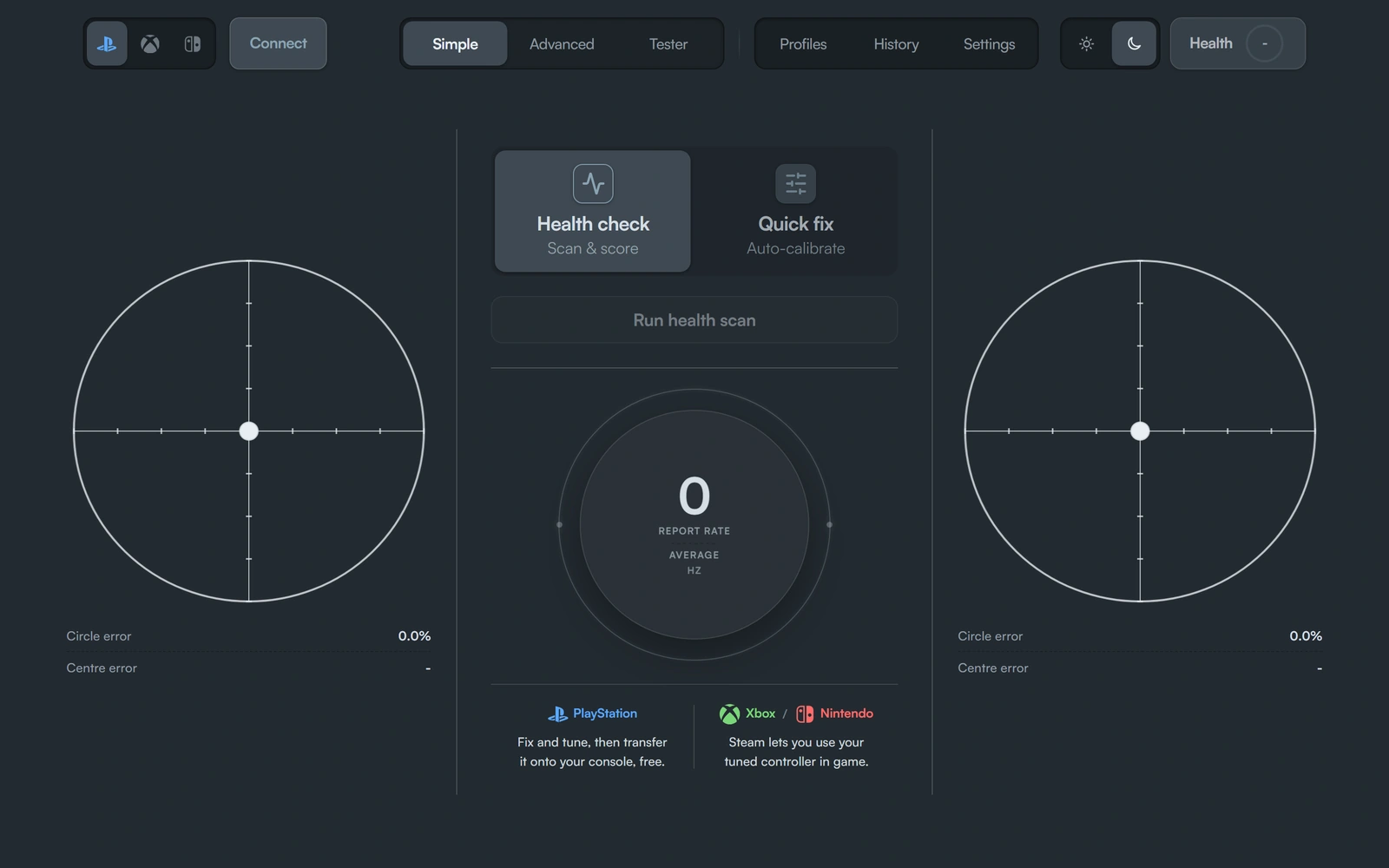
Test an Xbox pad free in your browser and get a 0-100 Health Score. Saving the new centre and range onto the controller, so you can unplug it and use it on your Xbox, is in the DriftNo app on Steam, £19.99 once, on Windows 10 or 11. There is no Steam Deck build.
Connect your Xbox controller over USB and run a free scan in the browser. You get a 0-100 Health Score and a breakdown by stick. That tells you if drift is a correctable centre offset or sensor wear that needs a module replacement.
If the scan shows an off-centre rest point (not noisy wear), the DriftNo Windows app can save a new centre onto the pad. That costs £19.99 once on Steam, and it includes the Premium tools (profiles, history, Auto Optimise, curves and a session PDF).
If the scan shows wear, you need a new module. Opening the controller yourself can affect the warranty, so check the official or shop route first. After hardware work, use the DriftNo Windows app to save a new centre if the rest point is still off.
| Task | Web app today | Steam |
|---|---|---|
| Stick drift test | Yes | Yes |
| Health Score | Yes | Yes |
| Quick Fix | Yes | Yes |
| Save to console (write the pad) | No: test and score | Yes: USB |
| Lab sliders | Yes | Yes |
The Windows app on Steam follows Steam's standard refund policy: you can request a refund within 14 days of purchase if you have used it for under two hours. See Steam's refund policy for full details and exclusions.
PlayStation Save to console is free over USB on the web. Xbox and Nintendo Save to console over USB on Steam. Open the page for yours before you spend on a repair.
Save to console over USB in Chrome or Edge, or in the Steam desktop app.
Test and Health Score on the web. First-party Xbox pads Save to console over USB on Steam.
Test and Health Score on the web. Switch Pro and Joy-Con Save to console over USB on Steam.
Yes. Test, score, and tune Xbox pads in the browser. Save to console for Xbox writes the pad over USB in the Steam desktop app. Unplug and use it on your Xbox.
Save to console writes centre and range onto the pad. PlayStation is free over USB on the web. Xbox and Nintendo Save to console over USB in the Steam desktop app. Sliders update the Lab scopes.
Premium (£10 once) keeps your work in this browser: profiles, health history, Auto Optimise, custom stick and trigger curves, per-axis sensitivity, and session PDFs. PlayStation Save to console stays free on the web. DriftNo on Steam (£19.99 once) includes Premium plus Xbox and Nintendo Save to console over USB. Both are one-off payments, not subscriptions.
Run the scan first. Stable readings with an off-centre rest point point to calibration. Noisy, inconsistent readings, or drift that returns shortly after a fix, point to a worn module - replace it, then calibrate the new one.
Chrome, Edge or Opera on a desktop or laptop. Calibration writes use WebHID, which needs a USB connection on most controllers. Firefox and Safari do not support WebHID, and phone browsers cannot run the tool. Use a computer, or the mobile app when it is available.
Know the numbers before booking a repair or buying Steam.